
Playground
The Playground mode provides an in-browser IDL editor with multi-language code generation. Write IDL definitions and instantly generate client and server code—no installation required.
Overview
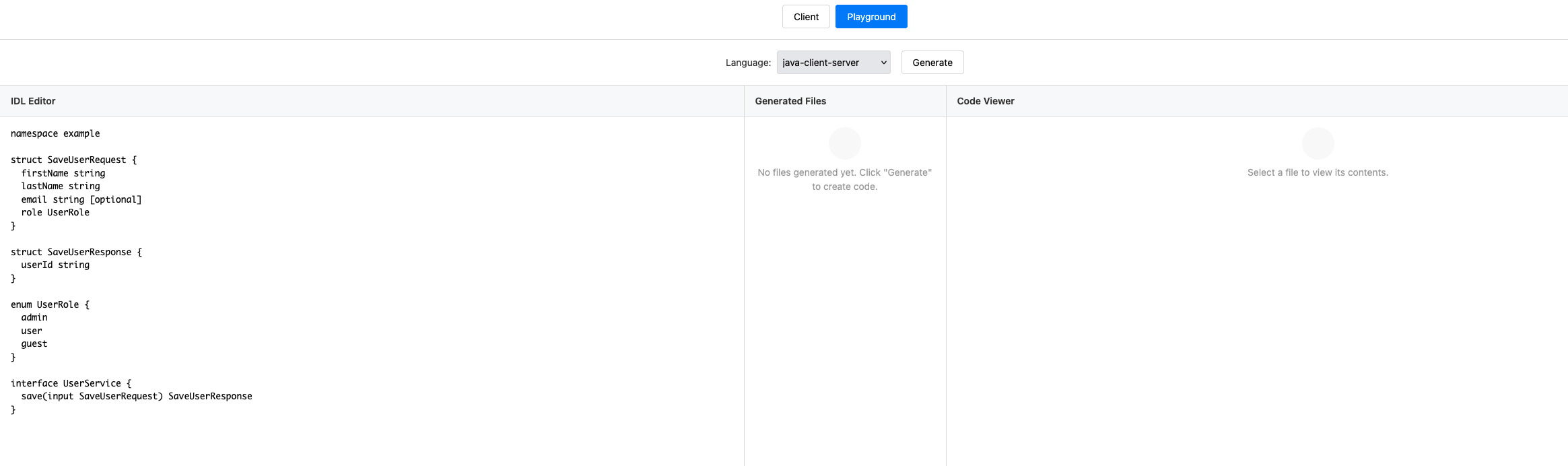
The Playground offers:
- IDL Editor - Syntax-highlighted editor with auto-save
- Real-time Validation - Catch errors as you type
- Multi-Language Generation - Generate code for Go, Java, Python, TypeScript, and C#
- File Browser - View all generated files in a tree structure
- Code Viewer - Read generated code with syntax highlighting
- ZIP Download - Download complete project archives
Getting Started
1. Start the Web UI
./target/pulserpc -ui -ui-port 8080
Open your browser to http://localhost:8080 and click the Playground button.
2. Write Your IDL
The playground starts with a sample IDL. Edit it directly in the editor:
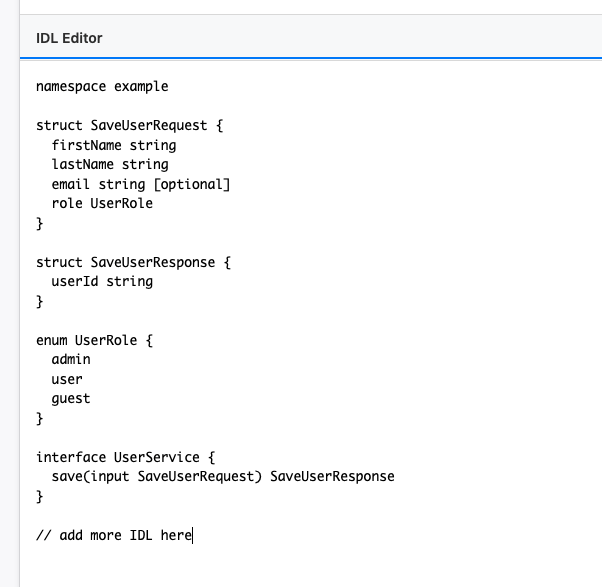
The editor features:
- Syntax Highlighting - Color-coded IDL syntax
- Auto-Save - Your work is automatically saved to browser localStorage
- Line Numbers - Easy reference for error messages
3. Validate Your IDL
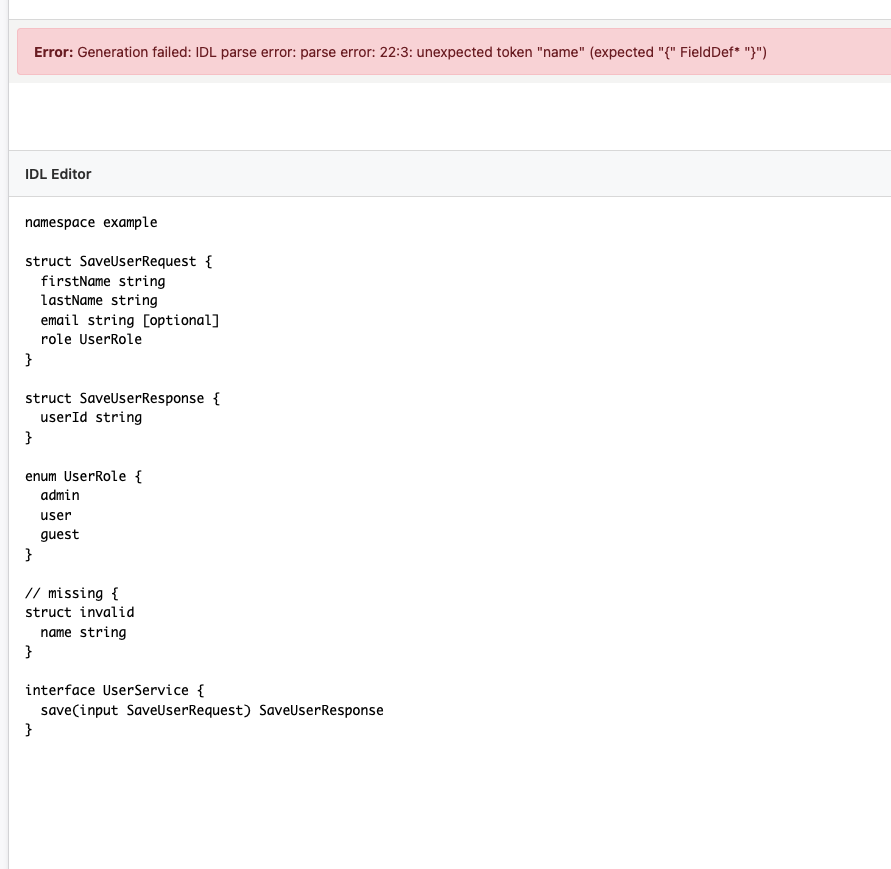
Click Validate to check your IDL for errors. Validation issues are displayed in a panel below the editor:
Generating Code
1. Select a Runtime
Choose your target language from the dropdown:

Supported runtimes:
- Go (
go-client-server) - Java (
java-client-server) - Python (
python-client-server) - TypeScript (
ts-client-server) - C# (
csharp-client-server)
2. Generate Code
Click Generate Code to create your server and client files.
3. Browse Generated Files
The file tree on the left shows all generated files:

Each runtime generates:
idl.{ext}- Type definitionsserver.{ext}- HTTP server with interface stubsclient.{ext}- Client with transport abstractionpulserpc/directory - Runtime library (embedded)
4. View Generated Code
Click any file in the tree to view its contents:
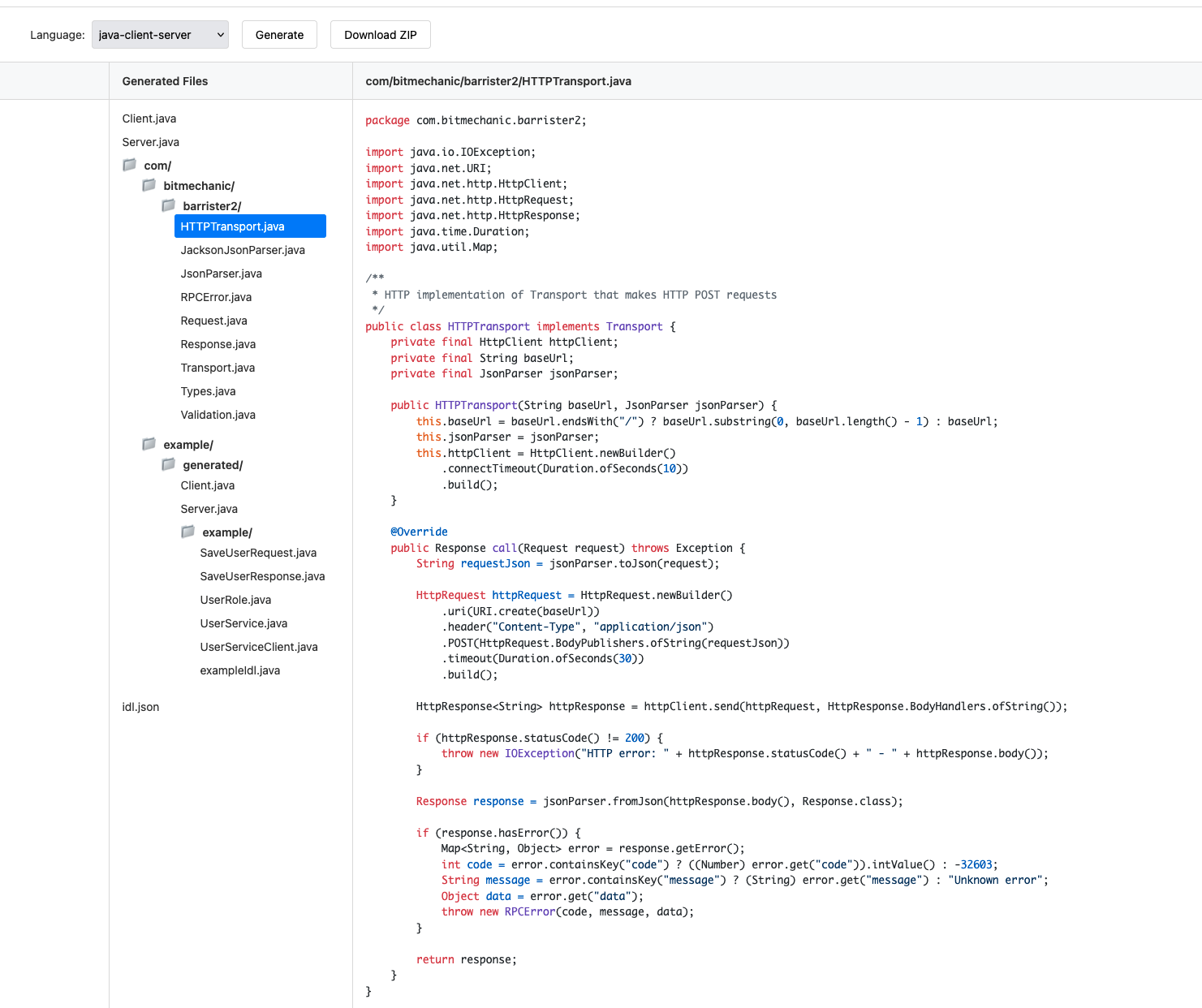
The code viewer provides:
- Syntax Highlighting - Language-specific highlighting
- Full File Contents - See complete generated files
- File Navigation - Switch between files easily
Downloading Code
Download Individual Files
Right-click any file in the tree and select Save Link As to download individual files.
Download Complete Project
Click the Download ZIP button to get a complete archive:

The ZIP includes all generated files plus the runtime library, ready to use immediately.
Session Management
The playground automatically manages sessions:
- Unique Session IDs - Each editing session gets a unique ID
- Auto-Save - Your IDL is saved to browser localStorage
- 2-Hour Expiration - Generated code is stored on the server for 2 hours
- Shareable URLs - Share your playground session via URL
Use Cases
Prototyping APIs
Quickly sketch out service interfaces without leaving your browser:
namespace example

service Calculator {
    float add(float a, float b)
    float multiply(float a, float b)
}
Learning PulseRPC
Experiment with IDL syntax and see how it translates to code in different languages.
Code Generation Without Installation
Generate PulseRPC code even when you don’t have the CLI installed locally.
Sharing Examples
Create a playground session and share the URL with your team for collaboration.
Tips
- Start Simple - Begin with basic interfaces and build up complexity
- Validate Often - Catch errors early by validating frequently
- Compare Languages - Generate the same IDL for multiple languages to see differences
- Download Runtime - The ZIP includes everything needed—no additional dependencies
Next Steps
- Universal Client Mode - Test services with the interactive client
- IDL Syntax - Complete IDL language reference
- Language Quickstarts - Language-specific guides